
One Palm. Secure Verification Across Every Interaction.
Enable 1:1 identity verification and small-scale 1:N recognition using Palm X — through standard RGB cameras and without dedicated palm-scanning hardware.
Why Choose Palm X for Palm Biometric Verification
Privacy-conscious palm biometrics that work on the camera-enabled devices your users already carry.
Privacy by Design
Palm biometrics are less exposed in everyday photos and videos, while verification requires an intentional gesture.
Face-Free & Inclusive
Verify identity without relying on facial features—ideal for face coverings, facial occlusion and face-sensitive scenarios.
Easy to Deploy
Deploy palm recognition on standard RGB camera-enabled devices, without dedicated palm scanners or infrared hardware.
Built for Diverse Scenarios
Bring palm verification to identity, access and membership experiences across digital and offline services.
Palm X vs. Face Recognition, Fingerprint and Dedicated Palm Devices
| Key Consideration | Palm X | Face Recognition | Fingerprint | Dedicated Palm Device |
|---|---|---|---|---|
| Privacy | Lower exposure & intentional | Higher public exposure | Lower exposure | Lower exposure & intentional |
| User Experience | Contactless | Contactless | Touch-based | Contactless |
| Remote Verification | Yes | Yes | Device-dependent | No |
| Deployment Flexibility | High | High | Device-dependent | Dedicated device required |
| Cross-device Availability | High | High | Limited | Limited |
Privacy
- Palm X
- Lower exposure & intentional
- Face Recognition
- Higher public exposure
- Fingerprint
- Lower exposure
- Dedicated Palm Device
- Lower exposure & intentional
User Experience
- Palm X
- Contactless
- Face Recognition
- Contactless
- Fingerprint
- Touch-based
- Dedicated Palm Device
- Contactless
Remote Verification
- Palm X
- Yes
- Face Recognition
- Yes
- Fingerprint
- Device-dependent
- Dedicated Palm Device
- No
Deployment Flexibility
- Palm X
- High
- Face Recognition
- High
- Fingerprint
- Device-dependent
- Dedicated Palm Device
- Dedicated device required
Cross-device Availability
- Palm X
- High
- Face Recognition
- High
- Fingerprint
- Limited
- Dedicated Palm Device
- Limited
Palm X can be used as a standalone biometric method or as a complementary identity layer alongside face, document and account-based verification.
Two Palm Verification Modes: 1:N Recognition and 1:1 Verification
Bind a palm to a user account once, then verify returning users or recognize them from a registered palm database.
Recognize a User from a Registered Palm Database
Compare a captured palm against multiple registered users to identify an existing user or detect repeat registration.
Verify That a User Matches a Claimed Identity
Compare a captured palm against a specified registered user before login, account recovery, sensitive transactions or service access.
Palm Verification Use Cases Across Industries
Add palm-based verification to digital onboarding, account protection and repeated service interactions—without deploying dedicated biometric devices.
Add Palm to Your Existing Identity Verification Flow
Complement ID and face-based eKYC with palm verification across onboarding, login, account recovery and high-risk transactions—especially when facial capture is inconvenient or unsuitable.
- Digital Account Opening
- Login and Account Recovery
- High-Risk Transaction Verification
A face-free, smartphone-based biometric option that complements existing KYC and authentication flows.

Verify That Every Participant Is a Real and Unique Human
Use palm biometrics and 1:N recognition to help identify repeated registrations and support unique-human participation.
- Proof of Personhood
- Anti-Sybil and Account Deduplication
- Airdrop, DAO Voting and Wallet/RWA Access
A privacy-conscious biometric signal for supporting one-person-one-account policies.

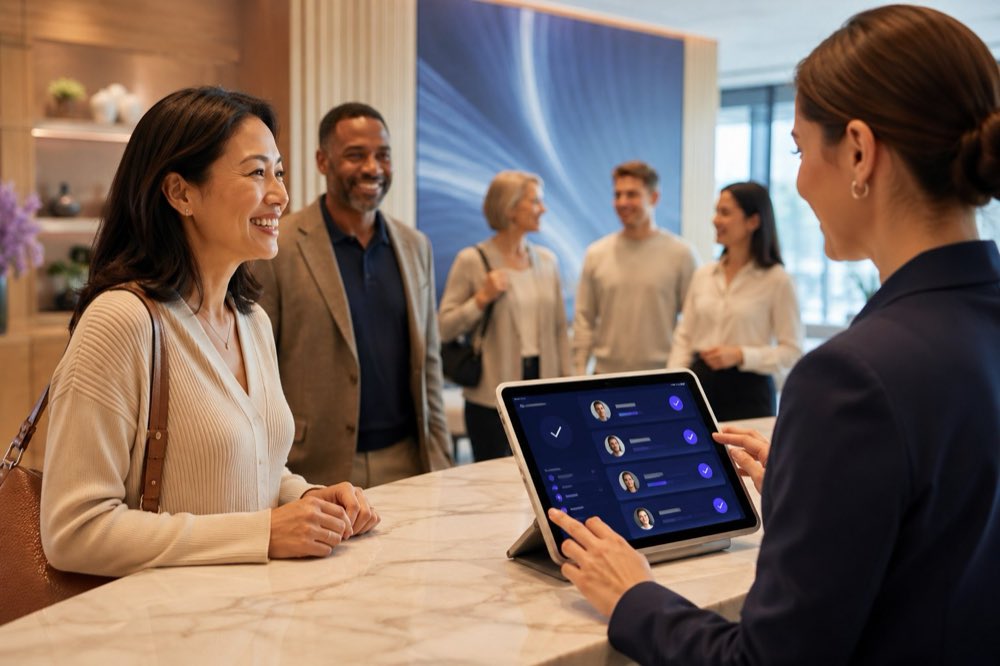
Verify Returning Users Across Repeated Service Interactions
Register a user’s palm once, then use an ordinary smartphone to verify patients, students, guests or members when they return.
- Check-In and Attendance
- Membership Benefits
- Service and Facility Access
Reduce repeated card, password and manual identity checks without deploying dedicated palm scanners.
Build Digital Accounts Around Verified Users
Use palm verification for trusted registration, multi-account detection, login, recovery and cross-device identity verification.
- Trusted User Registration
- Multi-Account Detection
- Login and Account Recovery
- Cross-Device Verification
Add a reusable biometric signal that is less dependent on passwords, SMS codes or a specific device.
Palm Liveness Detection and Anti-Spoofing
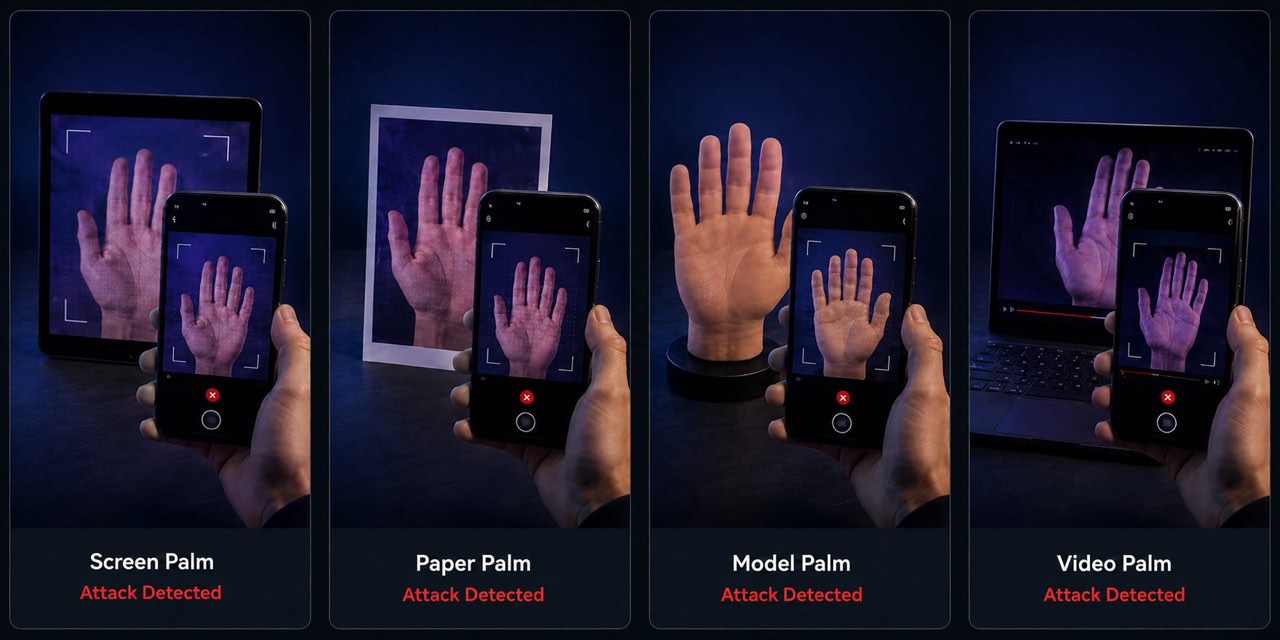
Guided liveness detection helps distinguish a live palm from screen replay, printed images, 3D palm models and prerecorded videos.
Screen Palm
A palm displayed on another phone, tablet or monitor.
Paper Palm
A palm presented through printed paper or a photograph.
Model Palm
A silicone, molded or 3D-printed palm held up to the camera.
Video Palm
A prerecorded palm video replayed in front of the camera.
Liveness detection can be configured based on the security and user-experience requirements of the integration scenario.
How Palm Registration and Verification Work
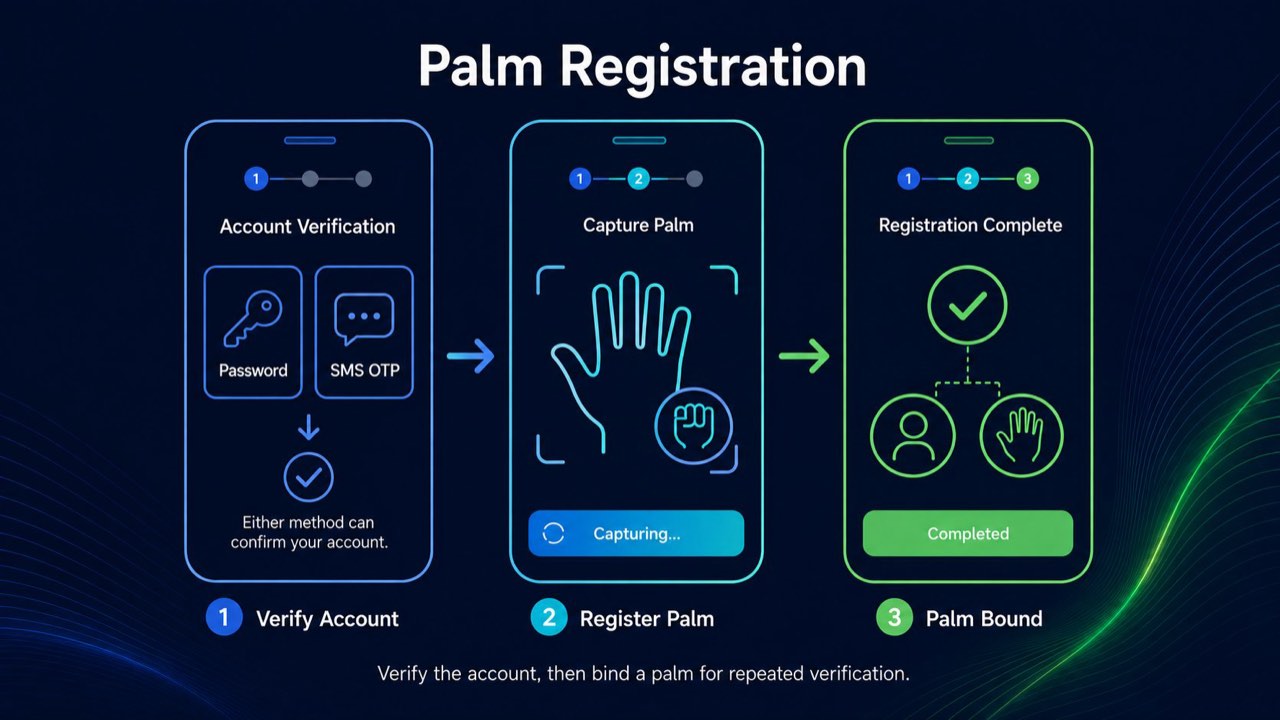
A guided mobile experience for binding a palm to a user account and verifying that user whenever they return.
Registration
- Verify Existing User
- Capture Palm Video
- Complete Guided Liveness
- Register Palm
Palm Verification
- Select User
- Capture Live Palm
- Optional Liveness Check
- Return Match Result
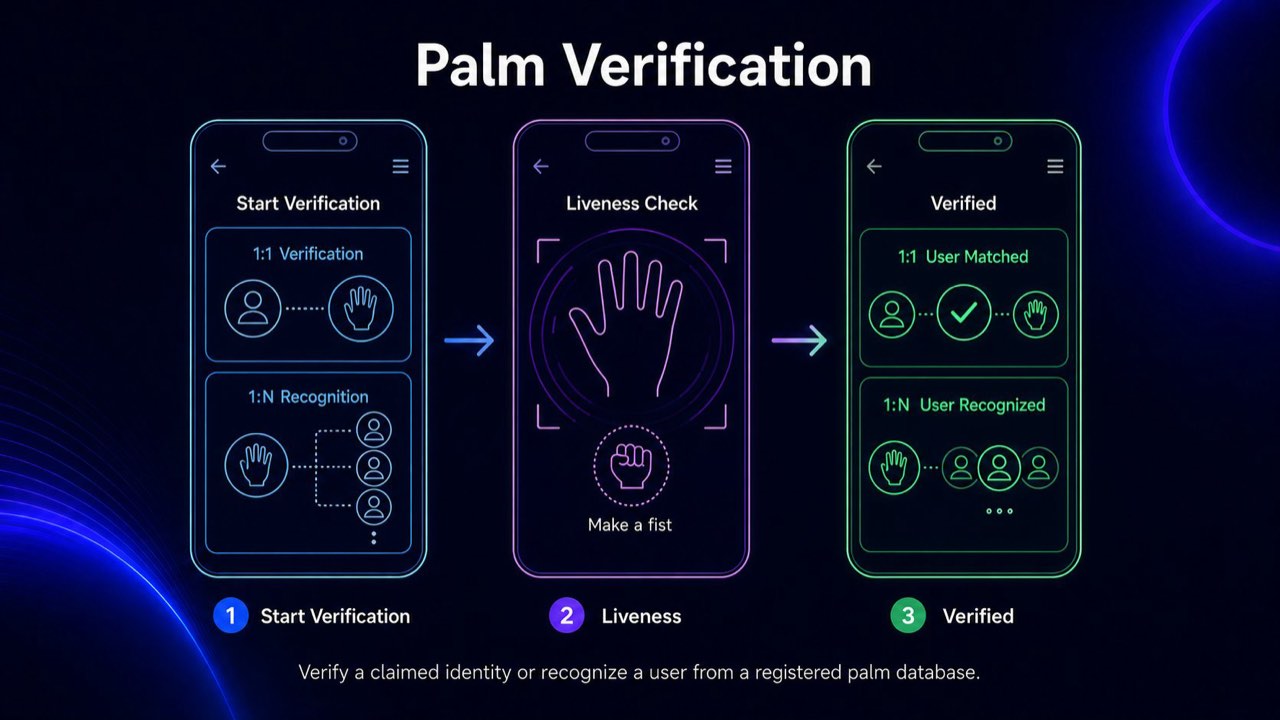
The method used to verify an existing user before palm registration is determined by your own application—Palm X does not require a specific account verification method. Your application also decides what happens after a match, such as approving login, continuing account recovery or granting access to a service.
Add Palm Verification to Your App
Integrate Palm X with a lightweight mobile SDK and simple backend APIs.
Server-side APIs handle authorization and user management.
Mobile SDK
Integrate palm registration and verification into your existing app.
Simple Backend Setup
Use lightweight APIs for authorization and user management.
Multi-platform
Android · iOS · Flutter
Frequently Asked Questions
Ready to start with Palm X?
Explore how Palm X can support identity verification, user recognition and repeated service access using standard RGB cameras.